
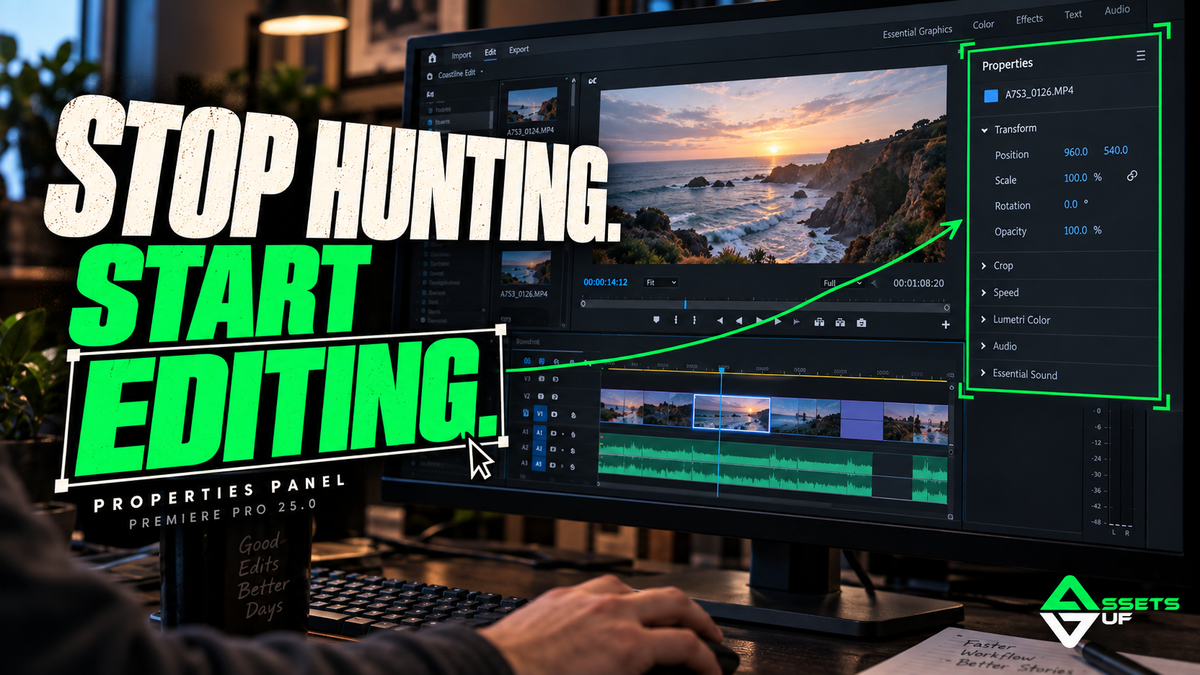
🎬 How to Use Premiere Pro 25.0’s New Properties Panel: The Update That Will Speed Up Your Workflow
✂️ A Visual Shortcut for Editors Who Work Daily
If you're like me and spend hours on Premiere's timeline adjusting effects, titles, cuts, and colors, this new feature is a serious time-saver. I’m talking about the brand-new Context-Aware Properties Panel, introduced with Adobe Premiere Pro 25.0.
In practice, it's like Premiere finally got smart enough to understand that you don’t have time to click through five different tabs just to edit a basic title. Now, it only shows you the tools you actually need—based on what you’ve selected.
No more panel hunting. Just focused editing.
🧠 What Is This New Properties Panel?
Simple: it’s a smart, responsive panel that adapts to the item you select on your timeline.
Click on a video clip? You’ll see key transform controls like scale, position, rotation, and opacity. Click on a text layer? You’ll see font, spacing, alignment, and color. A graphic? Same thing.
Instead of you chasing the tools, the tools now come to you.
⚙️ How to Use the New Properties Panel (Step-by-Step)
1. Update Your Premiere Pro
First, make sure you're running version 25.0 (or later) via Creative Cloud. This panel won’t appear in older versions.
2. Open the Panel
Go to Window > Properties and dock it somewhere accessible in your editing layout. Many editors prefer replacing the old Effect Controls panel with it.
3. Select Any Element on the Timeline
Click on any item—video, audio, text, or graphic.
4. Edit Right in the Panel
Premiere instantly shows the most relevant settings for what you’ve selected.
Examples:
-
Video: position, scale, rotation, opacity
-
Text: font, alignment, shadow, size
-
Audio: gain, fade in/out, channel pan
No need to dig into Effect Controls for quick adjustments anymore.
🧑🏫 Editor-to-Editor Tips
-
Combine with Keyboard Shortcuts: Select clips and navigate quickly using hotkeys, then fine-tune with the properties panel for a much faster workflow.
-
Don’t Overdo It: This panel is built for efficiency—stick to essential adjustments here.
-
Perfect for Social Content: If you’re editing Reels, Shorts, or TikToks, this update drastically cuts down turnaround time.
🎁 The Secret to Even Faster, Cleaner Edits? Seamless Transitions, Done Right.
This update already streamlines your process. But if you want to take it even further with smooth, cinematic transitions without having to create them manually, you need the 100 Seamless Transitions Pack by GUF.
📦 You’ll get 100 ready-to-use, drag-and-drop transitions for Adobe Premiere Pro, organized by style and with a tutorial included. Perfect for YouTube videos, client work, reels—anything that needs polish and flow.
👉 Get the Pack here and use your automatic 25% OFF discount for the next 24 hours!
🚨 BONUS: The entire GUF Assets store is 25% OFF for a limited time. Take this chance to upgrade your asset library and edit faster, smarter, and with way more style.

