

Seamless Transitions | Premiere Pro Presets | GUF Assets
Adobe Premiere Pro
Price$7.58 USD Regular pricePRESETS DE VFX PARA ADOBE PREMIERE PRO
YOU DID THE ROTO. NOW MAKE IT HIT.

ONE-TIME PURCHASE
COMPATIBILITYAdobe Premiere Pro
A different point of view
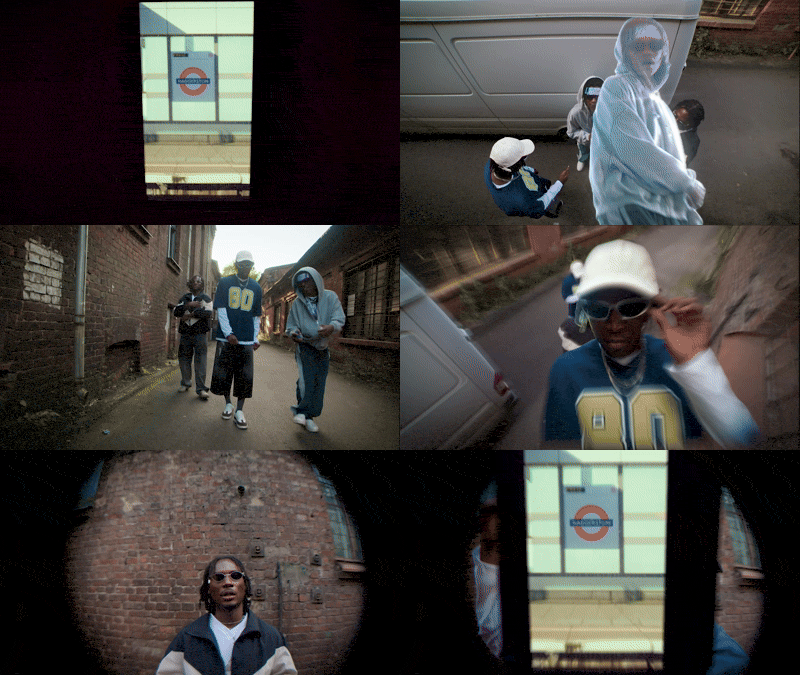
Drag the slider to compare the scene without effects to the scene with GUF Assets effects.

tutorial
See exactly how to install, apply and customize the pack inside Adobe Premiere Pro. No complicated setup — just follow the tutorial and start creating.
The details


Good to know
VFX for Rotoscope 3.0 is a collection of customizable VFX presets for Adobe Premiere Pro 24 or later. The effects are designed for rotoscoped people and objects, but they can also be layered around the subject or applied to the background.
No. The pack does not automatically isolate or rotoscope the element. First, you must rotoscope the person or object in Premiere Pro. Then, you can apply, adjust, and combine the included presets.
You need Adobe Premiere Pro version 24 or later. The presets work in Premiere Pro projects of different formats and resolutions.
Yes. The pack works on any operating system supported by Adobe Premiere Pro 24 or later and with any Premiere Pro interface language.
No. After Effects and third-party plugins are not required. The complete workflow takes place directly inside Adobe Premiere Pro.
Import the single .prfpset file into your Premiere Pro Effects panel. After rotoscoping your subject, choose an effect and drag it onto the appropriate clip or layer. You can then customize it through Effect Controls.
Yes. The 100 presets are creative starting points. Adjust their settings, stack multiple presets and combine effects on the subject and background to create countless visual variations and develop a look of your own.
The pack includes glitch, glow, clone, ghosting, flash, cutout, loop, freeze-frame, distortion and blur effects, along with other creative treatments for rotoscoped subjects and backgrounds.
Use the presets in music videos, event films, fashion films, aftermovies, sports edits, YouTube videos, Reels, TikTok content, commercials, short films and other Adobe Premiere Pro projects.
After checkout, open My Packs and sign in with the same email address used for your purchase. You will receive immediate access to the preset file and the English video tutorial with automatic YouTube captions. Nothing is physically shipped.
Yes. After downloading the pack, you can use the presets offline. You will keep lifetime access to the files included with your purchase. Lifetime access does not automatically include future paid versions or upgrades.
Yes. You can use the effects in personal projects, commercial productions and paid client work. The pack and its preset files cannot be resold.
Because this is an instantly accessible digital product, purchases are non-refundable after access has been provided, except where required by applicable law. Refunds are issued for duplicate purchases or when we are unable to provide access to the product.
If you experience an access or installation issue, contact us at contact.assets@oficialguf.com so our support team can help.
Add to your toolkit
Adobe Premiere Pro
Price$7.58 USD Regular price
Video editing software
Price$8.37 USD Regular price
Editors that support LUT import
Price$12.47 USD Regular price